

Business WiFi & TP-Link Omada
Business WiFi that reaches every corner.
Surveyed, designed and installed WiFi for offices, warehouses, schools and venues across Bolton, Manchester and the North West, built on TP-Link Omada and managed from the cloud.
- Surveyed before we install
- TP-Link Omada, cloud managed
- Secure guest WiFi
Authorised partners
 Authorised BT partnerBroadband, lines & connectivity
- Authorised EE partnerBusiness mobile on EE
- Microsoft 365Licences, set-up & support
- UK-based supportLocal team in Horwich, Bolton
Survey first, then install
Stop guessing where the WiFi should go.
Most WiFi problems come from access points in the wrong place, not from slow broadband. A proper WiFi survey shows what your building does to a signal before anyone drills a hole. Switch between the views to see the difference.
Guesswork. One router in a corner and a hope for the best. Dead spots, slow spots and staff holding their laptops in the air.
Surveyed. Access points placed where the building and the people need them. Even coverage and steady roaming from room to room.
- Weak
- Average
- Good
Why TP-Link Omada
Enterprise-grade WiFi without the enterprise price tag.
We build business WiFi on TP-Link Omada: access points, switches and gateways that are all managed from one cloud dashboard.
That means we can set up, monitor and update your whole network remotely, often fixing things before you notice. Adding a new site, a new access point or a new guest network is quick, and every site looks and behaves the same.
From a single office in Horwich to warehouses in Wigan and venues in Manchester, Omada scales from a couple of access points to hundreds.
TP-Link Omada at a glance
- One cloud dashboard for every access point, switch and gateway, on every site
- Zero-touch set-up: kit is configured remotely, so installs are quick
- Seamless roaming as people walk between rooms and floors
- WiFi 6 and WiFi 7 access points for busy, modern offices
- Captive portal guest WiFi with vouchers, terms or SMS sign-in
- WPA3, VLANs and 802.1X to keep business and guest traffic apart
What we install
Everything for great WiFi, start to finish.
-
Access points
Ceiling, wall and outdoor access points from TP-Link Omada, including WiFi 7 models with multi-gig ports for busy spaces.
-
Network switches
PoE switches that power your access points and cameras over the network cable, so there are no extra power points.
-
Security gateways
Firewall and VPN gateways that protect the network and connect your sites together securely.
-
Guest WiFi & captive portal
A branded sign-in page for visitors, with terms, vouchers or SMS login, kept separate from your business network.
-
Mesh where cables can't go
Omada mesh links access points wirelessly in listed buildings, yards and hard-to-cable spots.
-
Monitoring & updates
We watch the network, roll out firmware updates and get alerts if something goes offline.
WiFi for every kind of space
Designed around your building and your people.
-
Offices
Open-plan, meeting rooms and hybrid workspaces.
- Focus
- Capacity & roaming
- Extras
- Teams-ready
Good forSmooth video calls in every room and laptops that roam without dropping.
-
Survey essential
Warehouses & industrial
High racking, metal and big open spaces.
- Focus
- Coverage
- Extras
- Scanners & tablets
Good forHandheld scanners, tablets and VoIP phones that work down every aisle.
-
Hospitality & venues
Guests, events and busy weekends.
- Focus
- Guest WiFi
- Extras
- Captive portal
Good forPubs, restaurants, gyms, hotels and venues with lots of visitors at once.
-
Schools & multi-site
Many buildings, one network.
- Focus
- Central control
- Extras
- Separate networks
Good forSchools, clinics, retail chains and businesses with several locations.
How it works
Surveyed, designed, installed and looked after.
Survey
We map your building and measure what's really happening to the signal, including interference.
Design
You get a plan showing where each access point goes, what's needed and why.
Install
Our engineers fit, cable and configure everything with minimal disruption to your day.
Manage
We monitor the network, update it and adjust it as your business changes.
What customers say
Local businesses, looked after properly.
-

“Infinity Comms are good guys to work with, that’s the thing I like about them.”
 Cliff BarryDyno Plumbing
 -

“It was a major upgrade to what we used to have — we can take calls remotely from outside the office.”
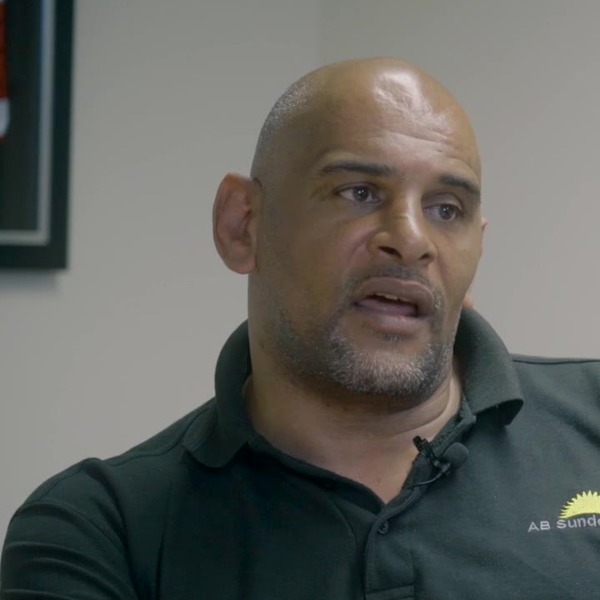 Sean RichardsonAB Sundecks
 -

“Their customer service is outstanding… I’d definitely recommend them to anybody.”
 Lisa BradyPerfect Recruitment
FAQs
Business WiFi questions.
Can't see your question? Ask us. A real person will answer.
Do I really need a WiFi survey?
For anything bigger than a small office, yes. Walls, glass, metal racking and neighbouring networks all affect WiFi. A survey means access points go in the right places first time, which usually costs less than fixing a guessed design later. Read about our WiFi surveys.
Why do you use TP-Link Omada?
Omada gives business-grade features such as cloud management, seamless roaming, captive portals and centralised security at a sensible price. It also lets us manage and support your network remotely.
How many access points will I need?
It depends on the size and construction of your building and how many people and devices use it. A survey answers this properly, so you don't pay for more access points than you need.
Can guests use the WiFi without accessing our systems?
Yes. Guest WiFi runs on a separate network, so visitors can get online without ever seeing your business devices. You can add a branded sign-in page with terms, vouchers or SMS login.
Can you use our existing network cabling?
Often, yes. We check your cabling during the survey and only recommend new cable runs where they're needed.
Do you install outdoor WiFi?
Yes. We install outdoor access points for yards, car parks, beer gardens and between buildings, using weatherproof kit.
Will my WiFi be faster than my broadband?
WiFi moves data around your building, and broadband connects you to the internet. Good WiFi makes sure your team gets the full speed of your connection everywhere. If the broadband itself is the bottleneck, take a look at business broadband.
Get a quote
Talk to a real person about it.
Tell us a little about your business and we’ll come back with straight answers, a clear recommendation and a quote in plain English.
What happens next
- We check what’s available at your address and look at what you have now.
- We recommend what fits, even when it’s the cheaper option.
- You get one clear quote. No pressure and no jargon.
Thanks, that’s with us.
We’ll be in touch on the next working day. If it’s urgent, call 01204 284000.
One supplier for all of it
Everything your business needs to stay connected.
- Business phone systemsCloud VoIP for desk, mobile and laptop
- Business broadbandFibre, full fibre and static IPs
- Leased linesDedicated, symmetrical, SLA-backed
- Business WiFiManaged TP-Link Omada networks
- WiFi surveysHeatmaps and access point plans
- Business mobileEE plans with hardware funds
- IoT SIM cardsMulti-network data for devices
- Remote workingPhones, Microsoft 365 and home connectivity
Areas we cover
Based in Horwich, Bolton, we look after businesses across Greater Manchester, Lancashire, Cheshire and the wider North West, and support customers throughout the UK.
Let's sort
your comms.
Phones, broadband, WiFi, mobile or something you're not quite sure about. Tell us what you need and we'll help you work it out.
- Authorised BT & EE partner
- UK-based support
- One supplier
- Support after installation