

Remote & hybrid working
Work from anywhere. Sound like the office.
Cloud phones, Microsoft 365 and reliable connectivity for hybrid teams across Bolton, Manchester and the North West. Set up properly, secured properly and supported by one local team.
- Office number on any device
- Microsoft 365 set up & supported
- Home & site connectivity
Authorised partners
 Authorised BT partnerBroadband, lines & connectivity
- Authorised EE partnerBusiness mobile on EE
- Microsoft 365Licences, set-up & support
- UK-based supportLocal team in Horwich, Bolton
Where's your team today?
One set-up that works wherever they are.
Pick a place to see what we put in.
The office, from the kitchen table.
Staff take calls on the business number from their laptop or mobile, open files from OneDrive and SharePoint, and join meetings in Teams, all as if they were in the office.
- Phone system app on laptop and mobile
- Microsoft 365 with secure sign-in
- Business broadband for key home workers
Hot desks that just work.
Anyone can sit anywhere. Log in to a desk phone or just use the app. Meeting rooms are Teams-ready, and the WiFi reaches every corner.
- Hot-desking on any handset
- TP-Link Omada WiFi with seamless roaming
- Full fibre or a leased line behind it
Never miss a call between jobs.
Engineers and sales teams answer the company number on their EE business mobile, look up customer details and send paperwork from the van.
- EE business mobiles with 5G
- Tablets with shared data
- Calls transfer back to the office in seconds
Internet for places with no broadband.
Site cabins, pop-up offices and events get online fast with a 4G/5G router and a multi-network data SIM. No waiting weeks for a phone line.
- 4G/5G routers with multi-network SIMs
- WiFi for the whole cabin or site
- CCTV connectivity for site security
Microsoft 365
Microsoft 365, set up properly from day one.
We supply Microsoft 365 licences and set them up so your team can email, share files and meet securely from anywhere.
We'll recommend the right plan for each person, move your email across, and set up Teams, OneDrive and SharePoint so files live in one safe place instead of on individual laptops.
Security comes as standard. We switch on multi-factor authentication and the protections included in your plan, so a stolen password doesn't become a stolen business.
Choosing a plan
- Business Basic: email, Teams, OneDrive and the web and mobile versions of the Office apps.
- Business Standard: everything in Basic, plus the desktop Office apps like Word, Excel and Outlook.
- Business Premium: everything in Standard, plus advanced security and device management.
What we do for you
- Licensing: the right plan for each person, on one monthly bill
- Email migration from your current provider, with minimal disruption
- Teams set-up, including calling on your business numbers
- OneDrive & SharePoint so files are shared and backed up
- Multi-factor authentication and sensible security settings
- Ongoing help for new starters, leavers and questions
The building blocks
Everything a hybrid team needs.
-
Cloud phone system
The business number on laptops, mobiles and desk phones. Business phone systems.
-
Microsoft Teams
Meetings, chat and calling in one app, connected to your phone system.
-
Reliable connectivity
Business broadband for the office and for key home workers.
-
Business mobile
EE business mobiles with 5G and hardware funds.
-
4G/5G routers
Internet for sites, events and backup, using multi-network data SIMs.
-
Secure access
Multi-factor sign-in and secure file sharing, so working from anywhere stays safe.
How we set it up
A remote set-up that's planned, not patched together.
Understand your team
Who works where, which apps they use and what slows them down today.
Design the set-up
Phones, Microsoft 365, connectivity and security, planned to work together.
Roll it out
We set up accounts and devices, move email and numbers, and show your team the ropes.
Stay supported
New starters, leavers and questions handled by one local team.
What customers say
Local businesses, looked after properly.
-

“Infinity Comms are good guys to work with, that’s the thing I like about them.”
 Cliff BarryDyno Plumbing
 -

“It was a major upgrade to what we used to have — we can take calls remotely from outside the office.”
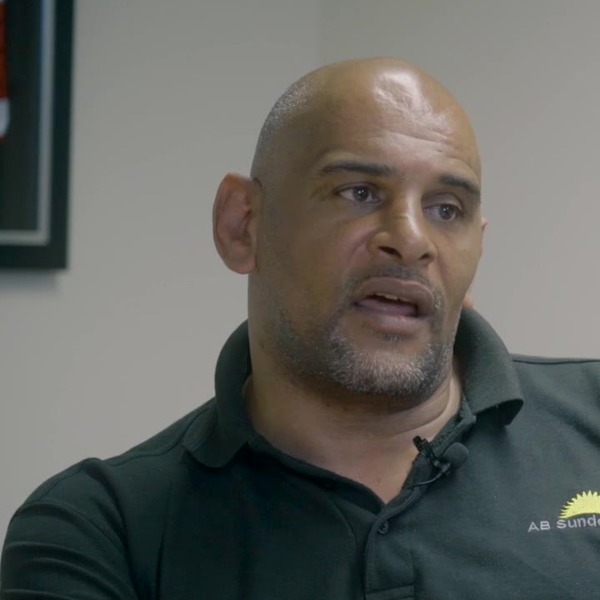 Sean RichardsonAB Sundecks
 -

“Their customer service is outstanding… I’d definitely recommend them to anybody.”
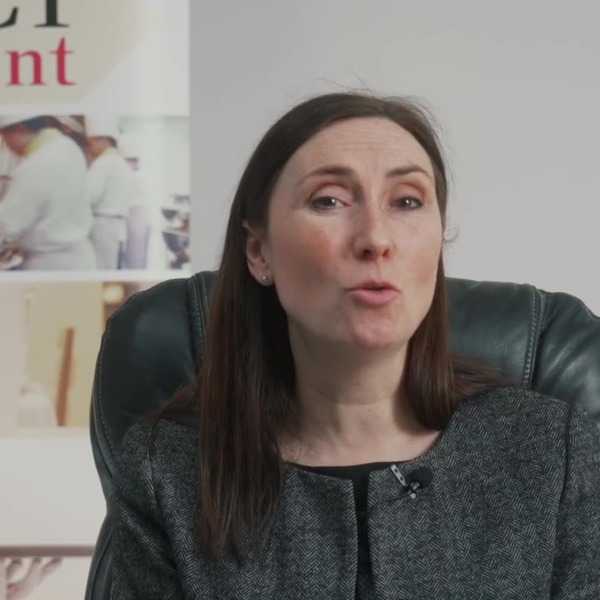 Lisa BradyPerfect Recruitment
FAQs
Remote working questions.
Can't see your question? Ask us. A real person will answer.
Can staff use the business phone number from home?
Yes. With our cloud phone system, staff make and take calls on the business number from a laptop app, mobile app or desk phone at home. Customers never see a personal number.
Do you supply Microsoft 365?
Yes. We supply Microsoft 365 licences, set them up, move your email across and support your team afterwards, all on one bill.
Which Microsoft 365 plan do we need?
Business Basic suits people who mainly use email and Teams on the web and mobile. Business Standard adds the desktop Office apps. Business Premium adds advanced security and device management. You can mix plans across your team.
How do we keep remote working secure?
Start with multi-factor authentication on every account, keep files in OneDrive and SharePoint rather than on laptops, and use the security features in your Microsoft 365 plan. We set all of this up for you.
What about staff with poor home broadband?
We can supply business broadband to key home workers, or a 4G/5G router as a quick fix where fixed broadband is slow.
Can you connect a site cabin or temporary office?
Yes. A 4G/5G router with a multi-network data SIM gets a site online in days, not weeks, with WiFi for the whole cabin.
Get a quote
Talk to a real person about it.
Tell us a little about your business and we’ll come back with straight answers, a clear recommendation and a quote in plain English.
What happens next
- We check what’s available at your address and look at what you have now.
- We recommend what fits, even when it’s the cheaper option.
- You get one clear quote. No pressure and no jargon.
Thanks, that’s with us.
We’ll be in touch on the next working day. If it’s urgent, call 01204 284000.
One supplier for all of it
Everything your business needs to stay connected.
- Business phone systemsCloud VoIP for desk, mobile and laptop
- Business broadbandFibre, full fibre and static IPs
- Leased linesDedicated, symmetrical, SLA-backed
- Business WiFiManaged TP-Link Omada networks
- WiFi surveysHeatmaps and access point plans
- Business mobileEE plans with hardware funds
- IoT SIM cardsMulti-network data for devices
- Remote workingPhones, Microsoft 365 and home connectivity
Areas we cover
Based in Horwich, Bolton, we look after businesses across Greater Manchester, Lancashire, Cheshire and the wider North West, and support customers throughout the UK.
Let's sort
your comms.
Phones, broadband, WiFi, mobile or something you're not quite sure about. Tell us what you need and we'll help you work it out.
- Authorised BT & EE partner
- UK-based support
- One supplier
- Support after installation